DotFix ZIP Forensics 26: New Archive Formats, Richer Previews, and a Completely Redesigned Interface
Version 26 of DotFix ZIP Forensics is a major release that touches nearly every part of the application from the visual interface to the engine that handles archive formats and file previews. Whether you are a forensic analyst, a security researcher, a system administrator, or simply someone who needs to recover files from a damaged archive, this update brings tools that make the job faster, more comfortable, and more powerful.
Completely Redesigned Interface
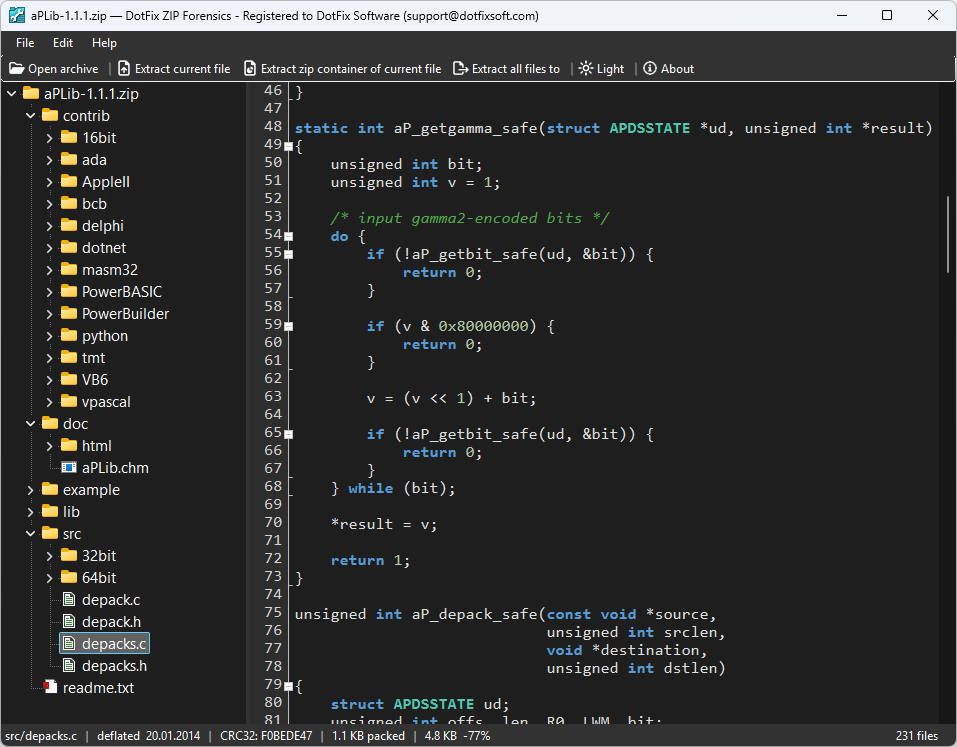
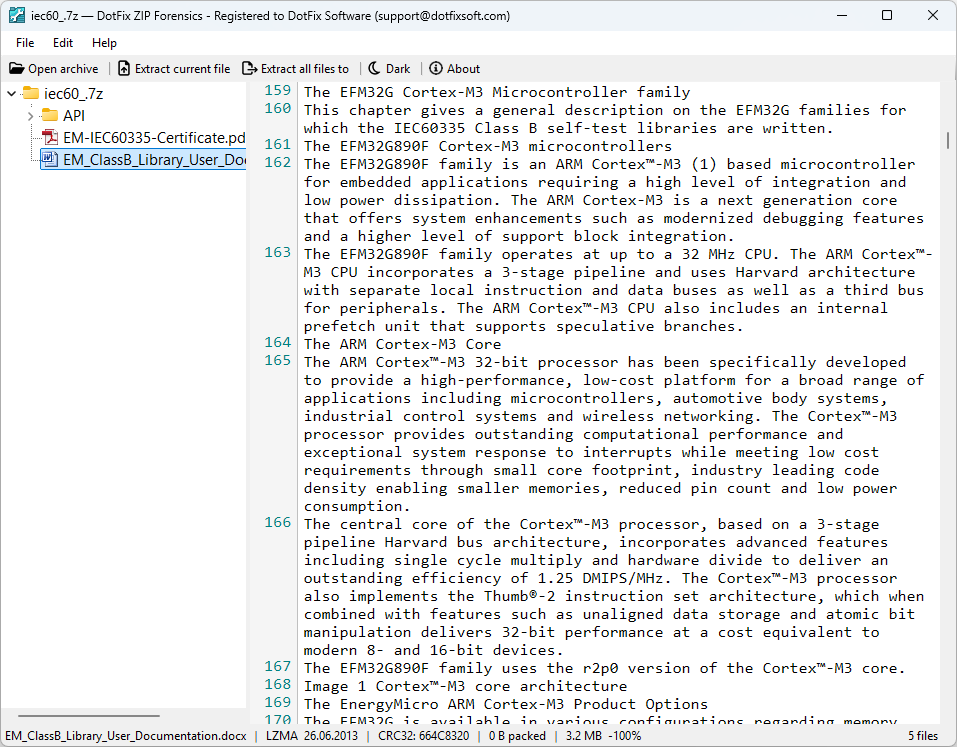
The most immediately noticeable change in version 26 is the interface. The old flat file list has been replaced with a proper hierarchical file tree, mirroring the internal folder structure of the archive exactly as it was packed. Navigating deeply nested archives is now natural and intuitive: you expand folders, collapse them, and move through the structure the same way you would in Windows Explorer.
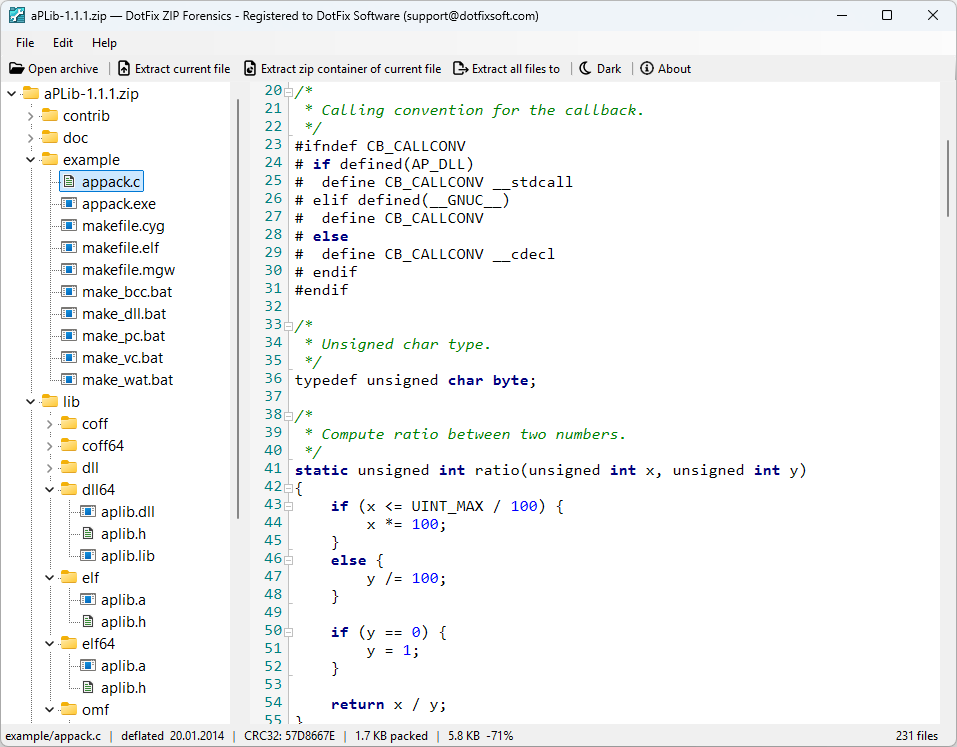
The toolbar has been redesigned from the ground up. Every action - opening an archive, extracting files, navigating the tree - now has a clearly labeled button with a purpose-built icon. Importantly, the toolbar icons automatically adapt to your color theme: in dark mode, icons invert so they remain clearly visible against a dark background. The same applies to scrollbars throughout the application in previous versions they would remain the default Windows style regardless of the selected theme. In 26, scrollbars correctly follow the application theme, giving the interface a consistent, polished look whether you prefer light or dark.
The status bar at the bottom of the window has been completely reworked. It now displays detailed information about the currently selected file: its full name, the compression method used, the last-modified date and time, the CRC checksum, compressed size, uncompressed size, and the total file count in the archive. All of this is visible at a glance without opening any separate dialogs.
Support for 7-Zip, RAR, TAR, and TAR.GZ Archives
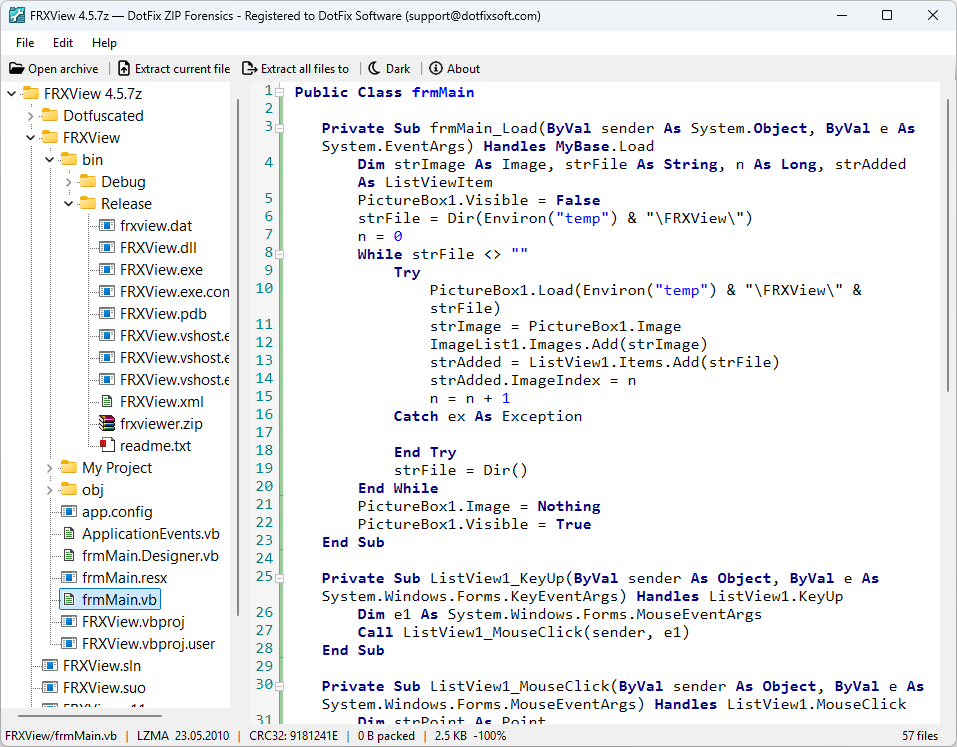
Until version 26, DotFix ZIP Forensics focused exclusively on ZIP-based containers. Version 26 expands this dramatically. You can now open, browse, and extract files from 7-Zip (.7z), RAR (.rar), TAR (.tar), and TAR.GZ / TGZ (.tar.gz, .tgz) archives in addition to the existing ZIP support.
All four formats are handled through the same unified interface: the same tree view, the same status bar, the same preview panel. You open a 7z archive the same way you open a ZIP. The format is detected automatically by magic bytes (the actual binary signature at the start of the file), not just by file extension. This matters in forensic scenarios where a file has been renamed or has no extension at all - the program will still identify it correctly and open it in the appropriate mode.
For 7z and RAR archives, the application correctly handles the concept of solid archives - archives where all files are compressed together into a single block for maximum compression ratio. When you try to extract a file from a solid archive, DotFix ZIP Forensics warns you that the entire archive needs to be read, so you understand why extraction may take longer than expected.
Forensic Scan Mode for Unknown and Binary Files
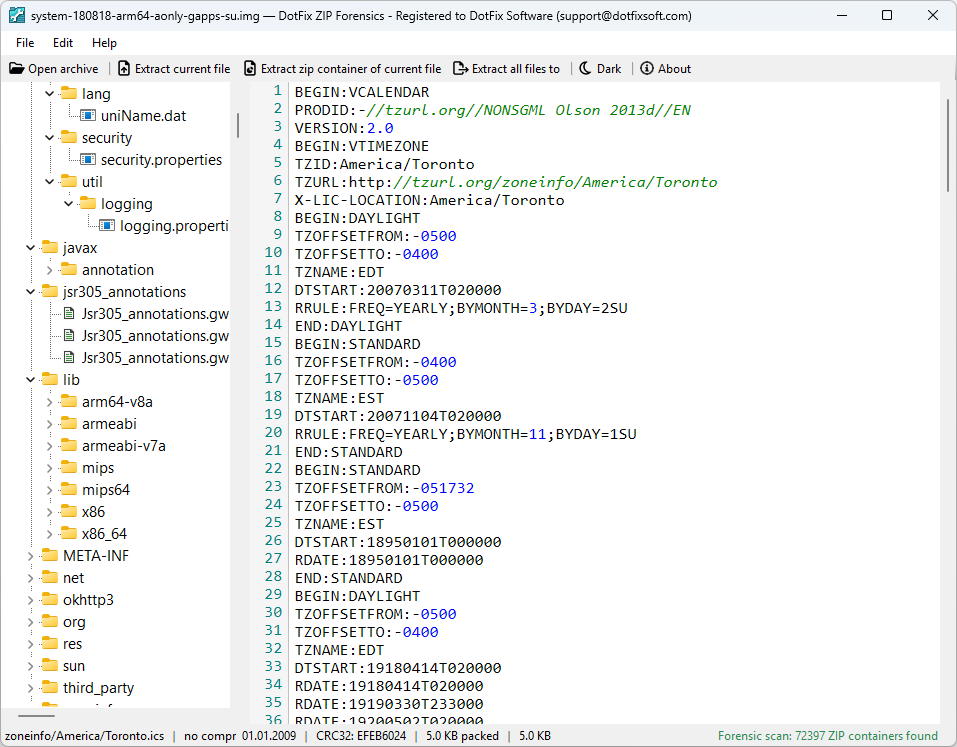
One of the most powerful features carried forward and improved in version 26 is forensic scan mode. When you open a file that is not recognized as a known archive format: a raw binary dump, a firmware image, a disk sector copy, or simply a file with a missing or wrong extension - DotFix ZIP Forensics does not give up. Instead, it scans the entire file byte by byte, searching for ZIP container signatures (local file header magic). Every valid ZIP container found is extracted and presented in the tree.
The status bar reports the result: "Forensic scan: N ZIP containers found", displayed in green if containers were found or amber if the file contains no recoverable data. This makes the tool genuinely useful for firmware reverse engineering, ISO image inspection, and digital forensics - exactly the scenarios where no other conventional archiver would even attempt to open the file.
Expanded File Preview: Documents and Spreadsheets
Version 26 significantly extends what you can preview directly inside the application without extracting files to disk.
Word documents are now supported in all three major formats. DOCX files are parsed as ZIP archives containing XML, with text extracted from all content including footnotes and endnotes. Legacy DOC files are read using a full OLE2/CFB parser with Piece Table support the same low-level approach that Microsoft Word itself uses internally, making it possible to extract text even from older Word 97–2003 documents. RTF files are parsed by a dedicated state machine that correctly handles character escapes, Unicode sequences, and all common RTF control words.
Excel spreadsheets in both XLS and XLSX formats are rendered as formatted text tables directly in the preview panel, with columns aligned by sampling the widest value in each column. Numbers, dates, and boolean values are formatted appropriately. Up to 1000 rows and 50 columns are shown, which covers the vast majority of real-world files encountered in forensic and recovery scenarios.
PSD and PSB files (Adobe Photoshop) display the embedded JPEG thumbnail that Photoshop stores in the Image Resources section of every saved document. This gives you an instant visual preview of the artwork without needing Photoshop installed.
CorelDRAW CDR files similarly display their embedded bitmap preview, extracted from the CFB structure in newer CDR versions, or from the RIFF DISP chunk in older pre-v7 files.
Smarter File Type Detection
Inside archives, files sometimes lack extensions, or have wrong extensions, or use unconventional naming. In previous versions this would cause such files to be displayed as raw binary or plain text. Version 26 introduces magic byte detection as a fallback: when a file has no extension or an unrecognized one, the application inspects the first bytes of the decompressed data to identify its true type. PNG headers, JPEG markers, ZIP signatures (for DOCX/XLSX detection), the OLE2 magic for DOC/XLS, the RTF opening brace, the PDF marker, and MZ headers for executables are all recognized. The correct preview is then shown automatically.
Progress, Cancellation, and Stability
Opening large archives, especially solid 7z files with thousands of entries, can take time. Version 26 adds a progress indicator that appears while an archive is being parsed, with the title bar updating to show how many entries have been found so far. If an operation is taking too long, a Cancel button appears after three seconds, giving you a clean way to abort without freezing the application. For 7z and RAR archives, cancellation actually terminates the underlying extraction process immediately.
Window position and size are now saved and restored correctly across sessions, including proper handling of the edge case where a window was last closed on a monitor that is no longer connected, the application detects this and re-centers itself on the available screen rather than appearing off-screen at coordinates like
-32000, -32000.Conclusion
Version 26 of DotFix ZIP Forensics is the most substantial update the tool has received. The combination of a redesigned interface, proper theme support including scrollbars, four new archive formats, forensic scan mode, and a significantly expanded preview engine makes it a more complete and professional tool than ever before.
If you work with archives regularly, whether for recovery, forensic analysis, security research, or everyday file management, version 26 gives you everything you need to inspect, analyze, and extract data efficiently, without unpacking anything to disk until you actually need to.
(C) Sergey Chubchenko, Developer of DotFix ZIP Forensics