Protection for native Windows applications
DotFix NiceProtect protects x86/x64 code against analysis and cracking
Software protection for Windows EXE, DLL, and OCX files, combining critical-code virtualization and mutation, compiler metadata obfuscation, anti-debugging, packing, and a uniquely generated protection core for every build.
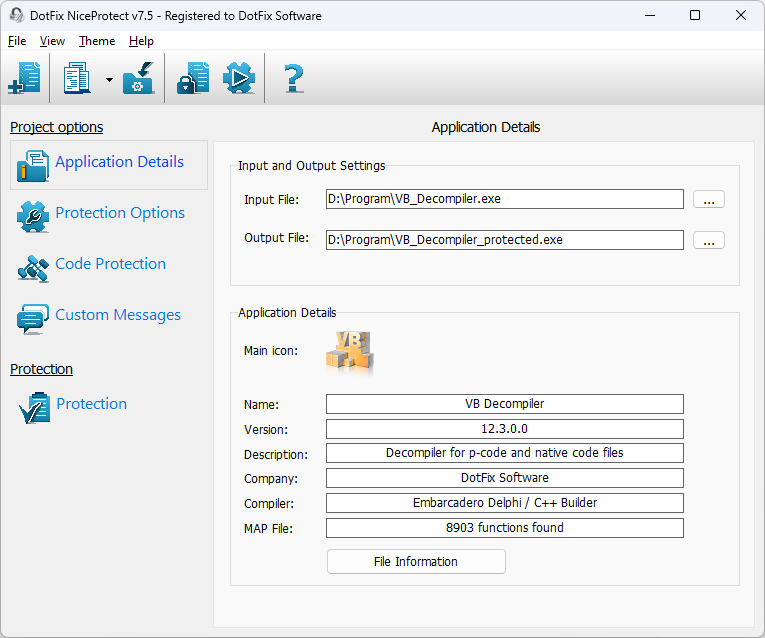
Layered protection for executable code
Protection is applied directly to native Windows machine code and does not require third-party runtime libraries or mandatory changes to the application source.
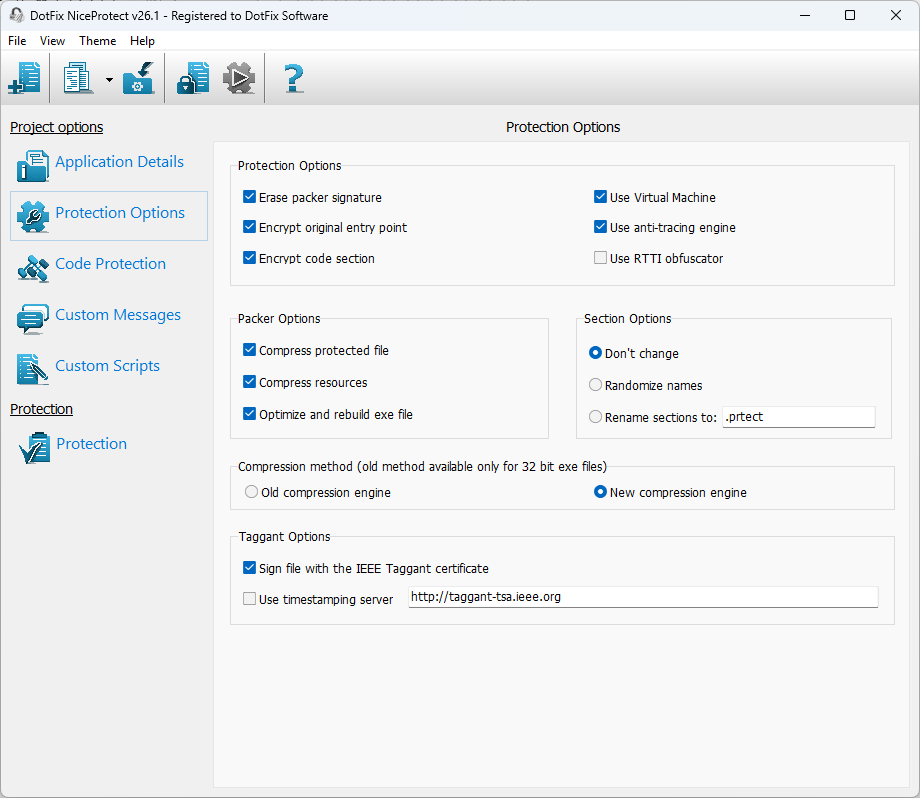
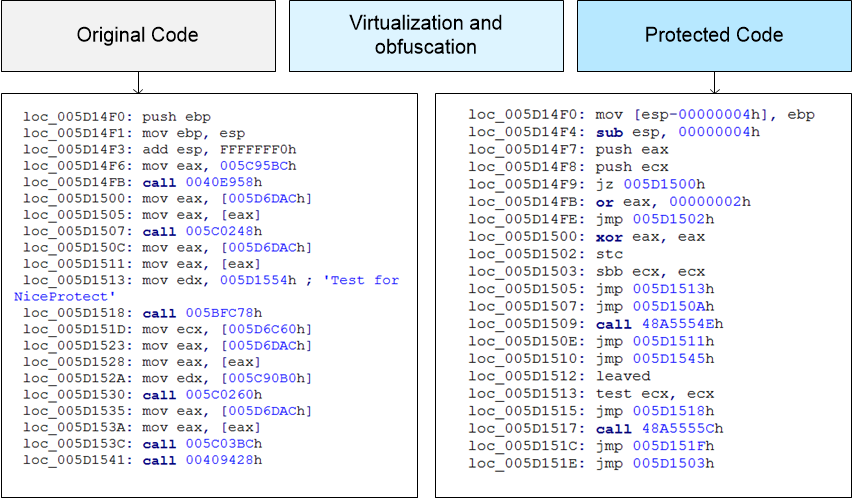
x86/x64 virtualization and mutation
Moves selected functions, conditions, and loops into a custom virtual-machine instruction set, or mutates and complicates native instructions while preserving their behavior.
See the refactored v26.1 engines →Anti-debugging and anti-tracing
Guards the application against step-by-step analysis, checks for debugging, and makes automated inspection of the loader and protected code more difficult.
Separate code and resource packing
Packs code and resources independently, reduces protected file size, supports ASLR and DEP, and generates a unique unpacking core to resist signature-based unpackers and automated cracking scripts.
Read about the packer architecture →A unique protection core for every build
Each protection run generates a new loader and unpacker core. File layout, entry-point placement, and internal data tables are not tied to a fixed template, making automated unpacking and deobfuscation substantially harder.
Exclusive compiler metadata obfuscation
Technology derived from decades of DotFix Software decompiler development protects not only processor instructions, but also the compiler structures used by reverse-engineering tools.
Delphi 32/64 and Free Pascal 32/64
Obfuscates RTTI and related compiler metadata, renaming classes, objects, events, and nested elements, including events of controls contained inside other objects. This exclusive NiceProtect capability is not available in other publicly offered software-protection products.
See the rebuilt compiler obfuscator →Visual Basic 5.0/6.0
Rewrites compiler-preserved names for forms, modules, classes, controls, events, and procedures, making decompilation and analysis harder even after other protection layers have been removed.
Learn how VB5/6 metadata is protected →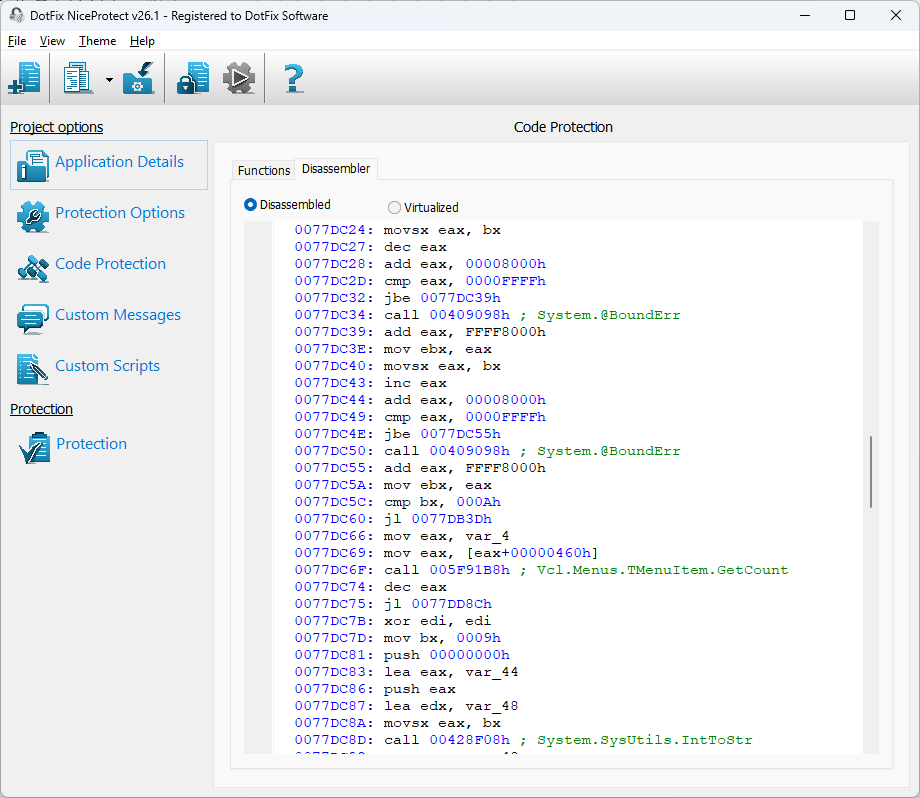
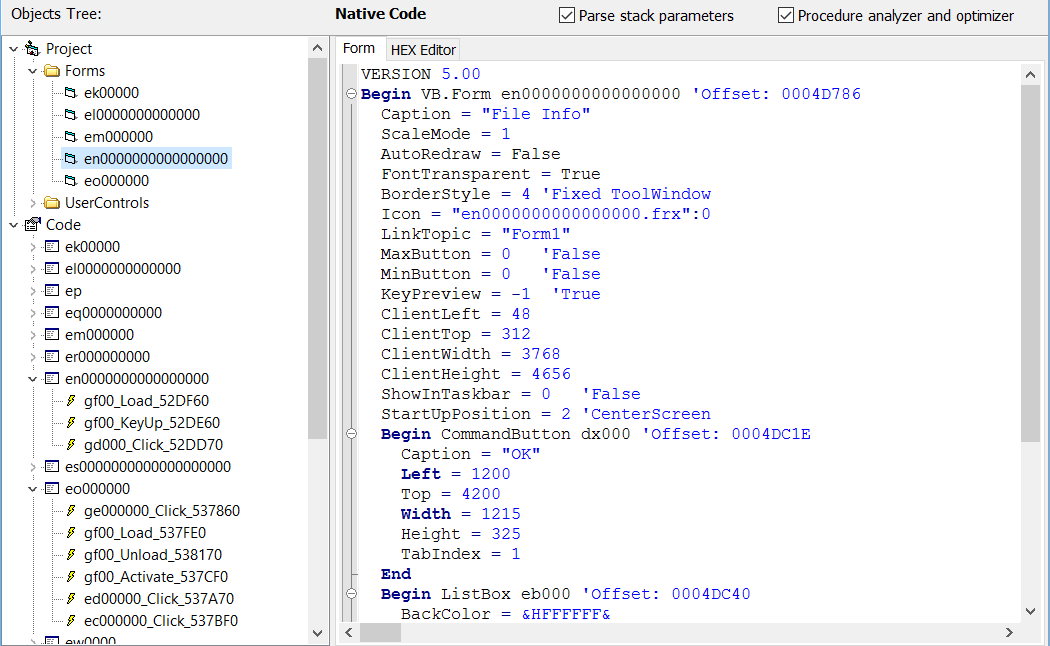
Fits into development and build workflows
NiceProtect can select functions from compiler-generated MAP data, inspect PE structures, and run either interactively or from the command line.
MAP files from multiple toolchains
Understands Microsoft, Embarcadero, GCC/MinGW, Qt, and Free Pascal formats, demangles names, and shows a function’s assembly before you choose how to protect it.
Explore MAP-file support →EXE, DLL, and OCX files
Protects executables and libraries while supporting TLS callbacks, exception handlers, relocatable sections, and non-standard PE alignment.
Automatic protection profiles
For common scenarios, the product selects suitable protection mechanisms without requiring detailed manual configuration. For deeper protection, select critical functions or mark sensitive source-code regions explicitly.
GUI and command-line editions
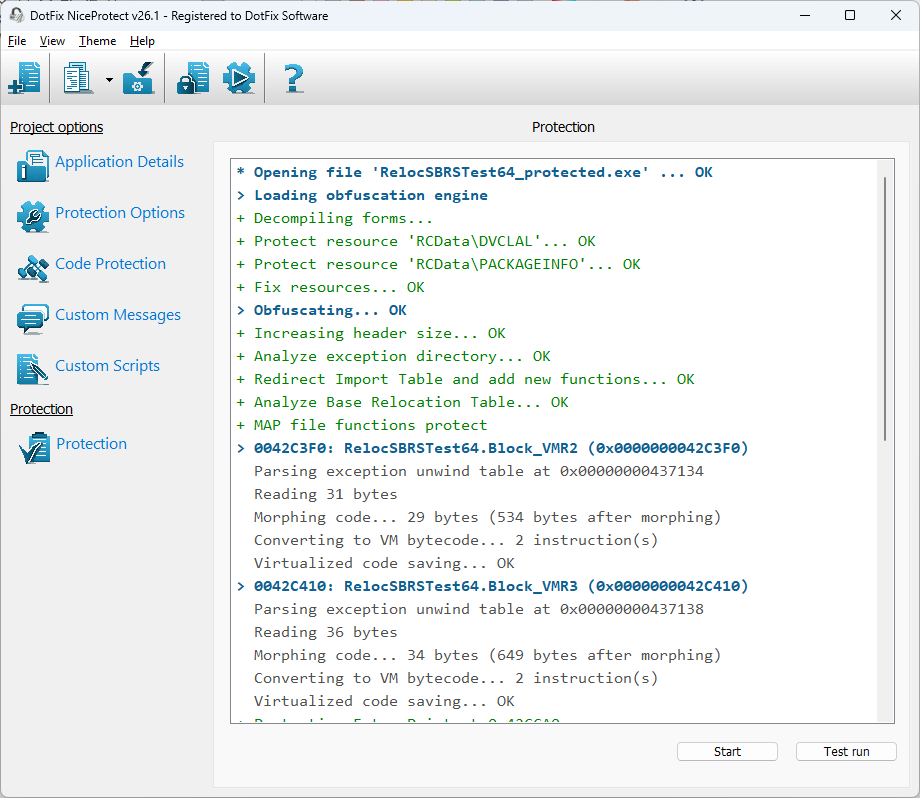
Supports both interactive profile configuration and automated build pipelines, with log entries clearly separated into errors, warnings, and successful operations.
Built-in x86/x64 disassembler
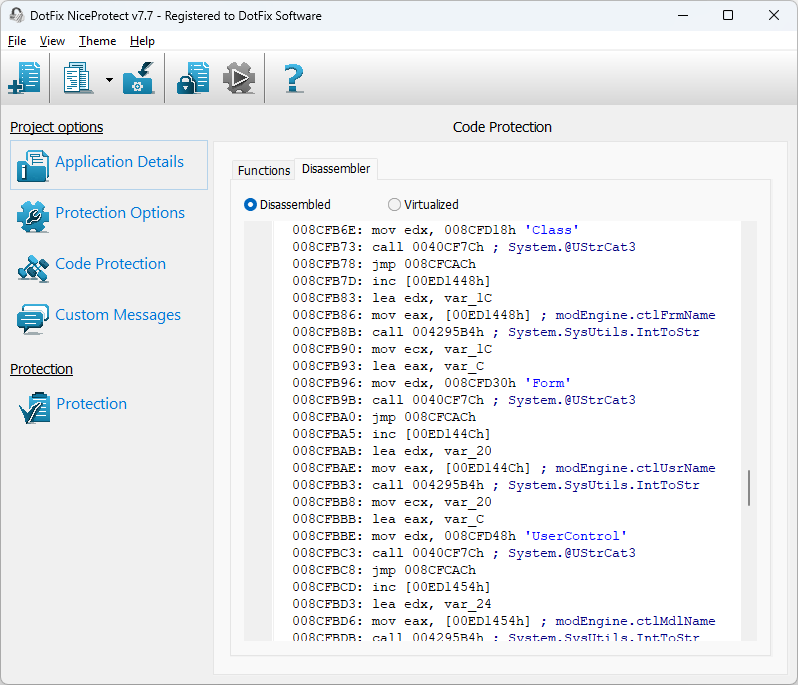
Displays original and protected function code, strings, calls, and branches. An address in the protection log can be opened directly in the disassembler.
See the updated log and disassembler →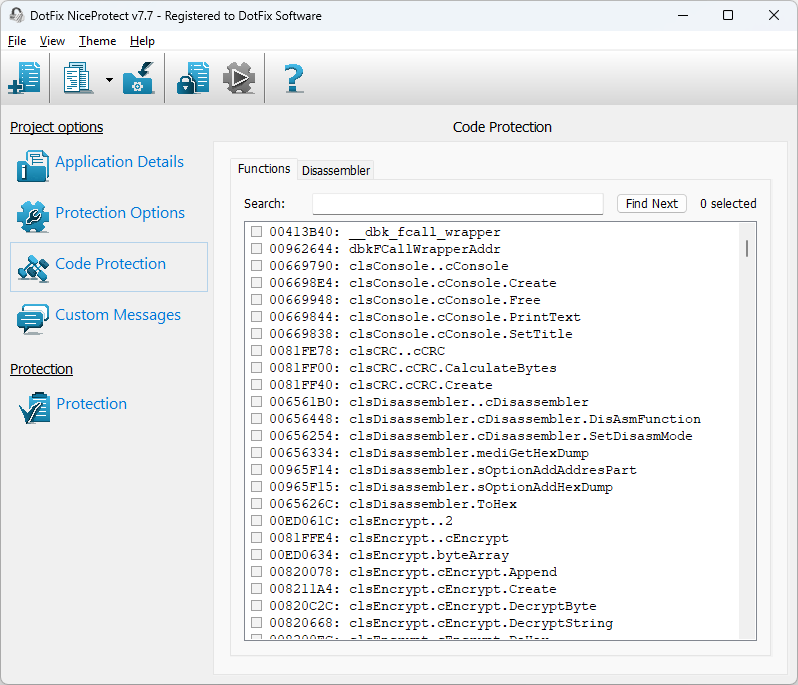
Windows compatibility and antivirus trust
The protection engines target current Windows environments while accounting for the practical limitations of today’s antivirus ecosystem.
Windows on Arm
Protected Intel x86 and x64 applications run through Microsoft’s built-in Prism emulation on Windows on Arm. This provides emulated compatibility; it does not turn the protected binary into native ARM64 code.
Review v26.1 Arm compatibility →Personal IEEE Taggant certificate
Customers receive an individual Taggant certificate. It does not replace Code Signing; although IEEE no longer develops the technology, automatic Taggant signing can still reduce false positives in antivirus engines that retain support, including Avira.
Read about IEEE Taggant use →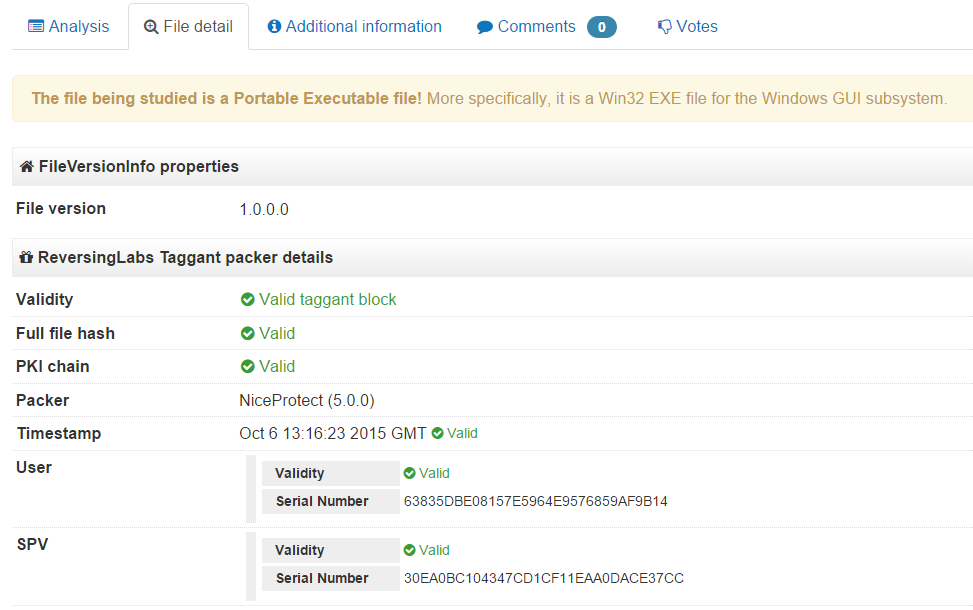
Evaluate the product with your own files
Download the trial, test the workflow that matters to you, and choose the license that includes the capabilities you need.
Start with your application
Choose the protection workflow that fits your project
Obfuscate Delphi and Free Pascal RTTI
Protect compiler metadata that exposes classes, forms, controls, events, and application structure.
Virtualize critical x86/x64 code
Protect native x86/x64 functions against analyzing and cracking.
Protect DLL and ActiveX OCX components
Apply component-aware protection while preserving relocations, callbacks, and loader behavior.
Obfuscate Visual Basic 5.0/6.0
Protects compiler metadata from analysis and decompilation in both P-Code and Native Code applications.
Product resources
Frequently Asked Questions
What is DotFix NiceProtect?
DotFix NiceProtect is a software protection system for Windows applications that provides code virtualization, mutation, packing and obfuscation to make reverse engineering and cracking significantly harder.
Which development tools are supported?
The protector supports native x86 and x64 applications, especially those built with Delphi and RAD Studio, Free Pascal and Lazarus, C++ Builder, and classic Visual Basic 5.0/6.0.
How does code virtualization help protect applications?
Selected functions are transformed into a custom virtual machine instruction set, so the original machine code never appears in memory in its normal form. This makes static analysis and automated decompilation substantially harder.
Can DotFix NiceProtect hide internal metadata and compiler runtime information?
Yes. The built-in compiler data obfuscator removes or masks form names, control names, events and other RTTI metadata that can otherwise help attackers navigate your code.
Do I need to modify my source code to use DotFix NiceProtect?
Protection is applied to already compiled Windows executables, so you usually do not need to change your source code, except when using advanced features such as explicit virtualization markers or MAP-file based protection.